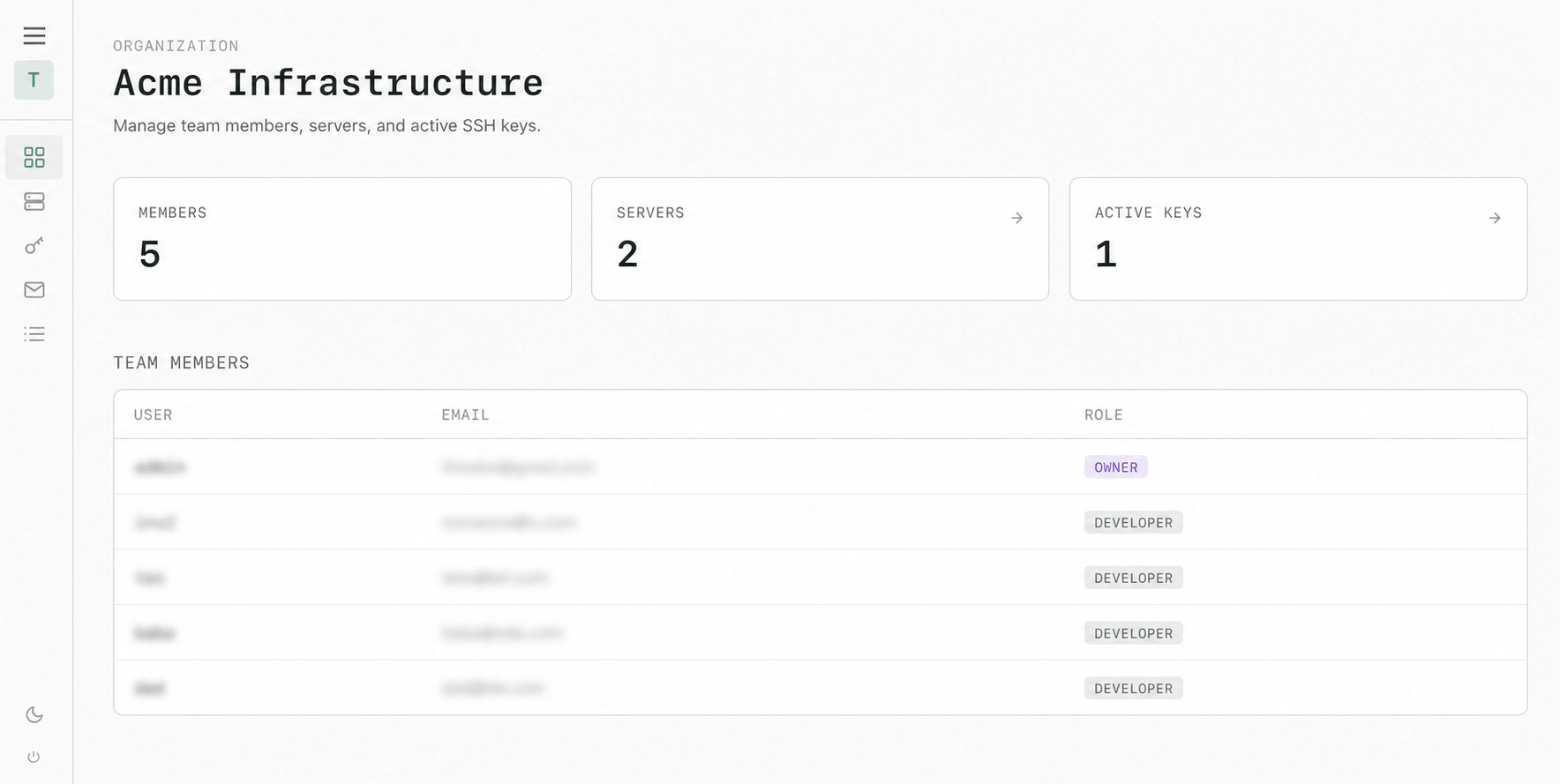
See what your team is managing
Members, servers, and active keys stay visible in one place.
self-hosted · open source · AGPL-3.0
Stop pasting SSH keys by hand. SyncSSH gives your team a shared control plane for public keys, servers, and access assignments. A small shell worker, run by cron on each target, keeps the managed part of authorized_keys synchronized. No inbound ports, persistent daemon, or gateway proxy is required.
Free during public beta · no credit card required
# 1. Boot the control plane (local or self-hosted)
$ git clone https://github.com/syncssh/syncssh.git && cd syncssh
$ cp .env.example .env
$ docker compose up -d
  → Control plane running at http://localhost:5173

# 2. Install the cron worker on target servers
$ curl -sL https://syncssh.yourco.internal/install/<token> | bash
  syncssh agent installed. Running initial sync...
  Done.

# 3. Keys are managed inside a dedicated block
$ cat ~/.ssh/authorized_keys
# === SYNCSSH BEGIN ===
ssh-ed25519 AAAAC3Nz...q2E  alice@laptop
ssh-ed25519 AAAAC3Nz...x9M  bob@laptop
# === SYNCSSH END ===
Members, servers, and active keys stay visible in one place.
Keep access tied to people and workspaces, with clear ownership and a record of changes.
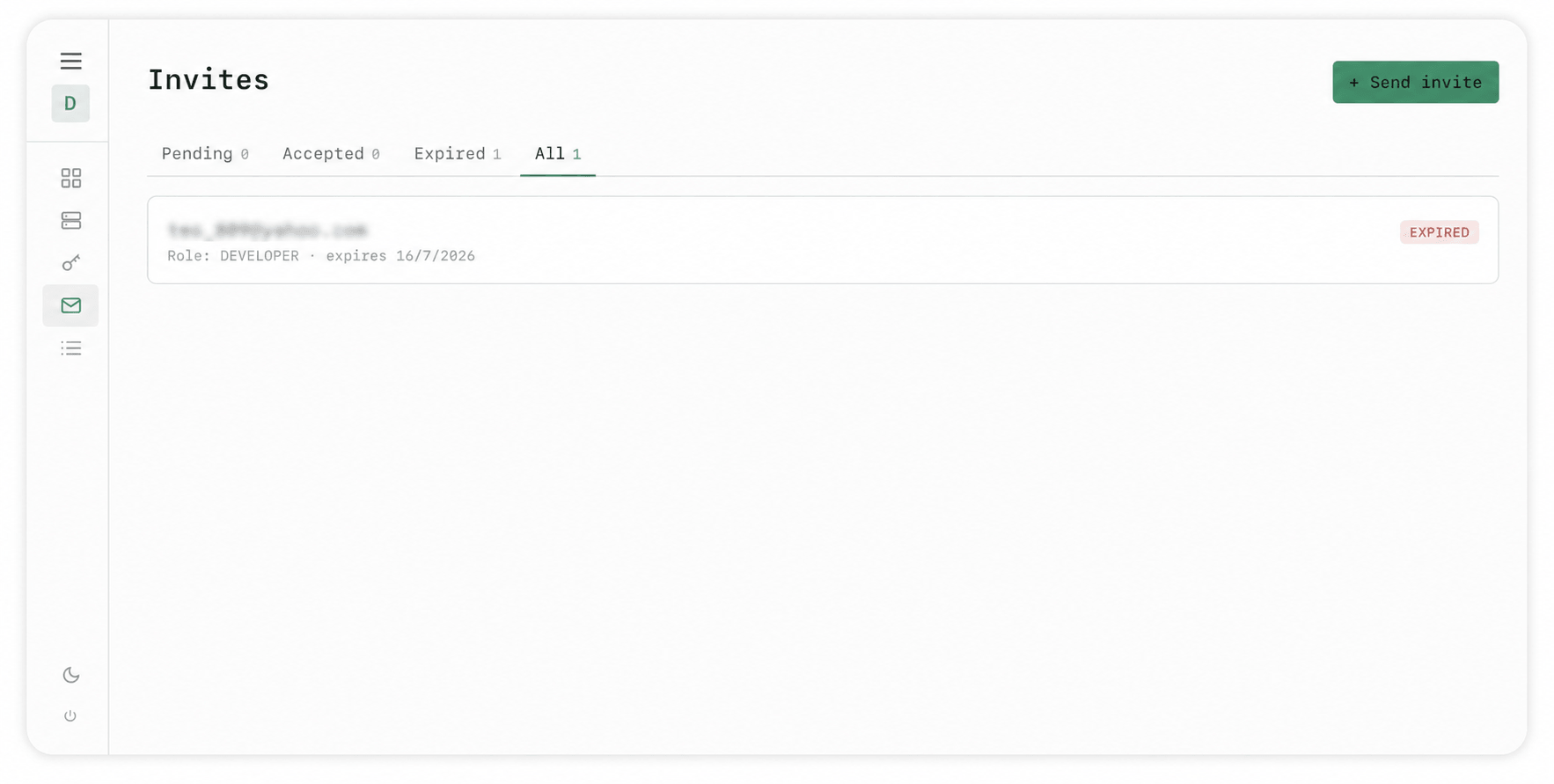
Owners and admins can invite people by email. Each invite is single-use and expires after 72 hours; the recipient joins with their own account and public key.
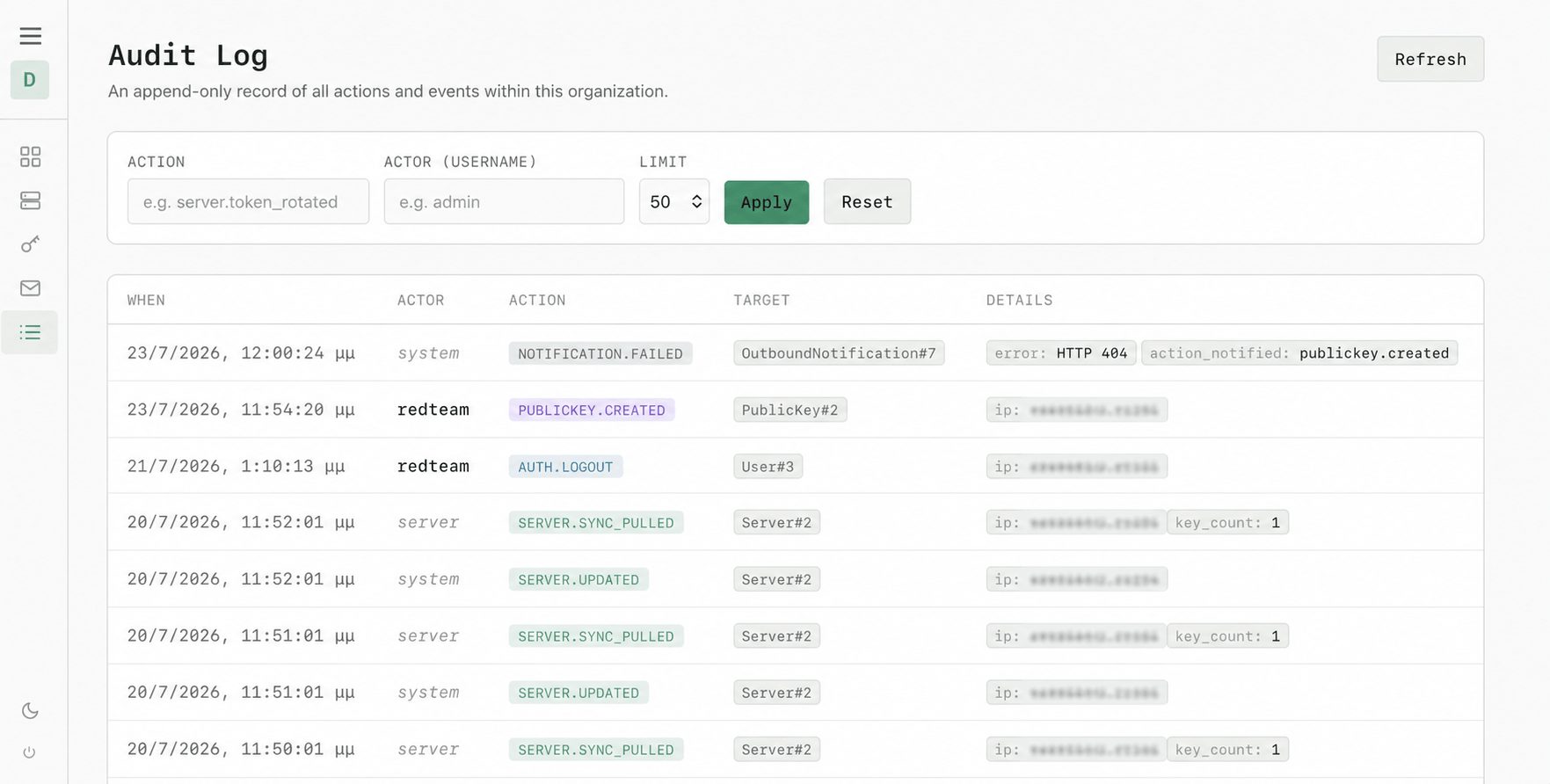
Owners and admins can review timestamped events for invites, membership changes, key changes, server activity, and sync pulls. Filter by action or actor when you need to trace a change.
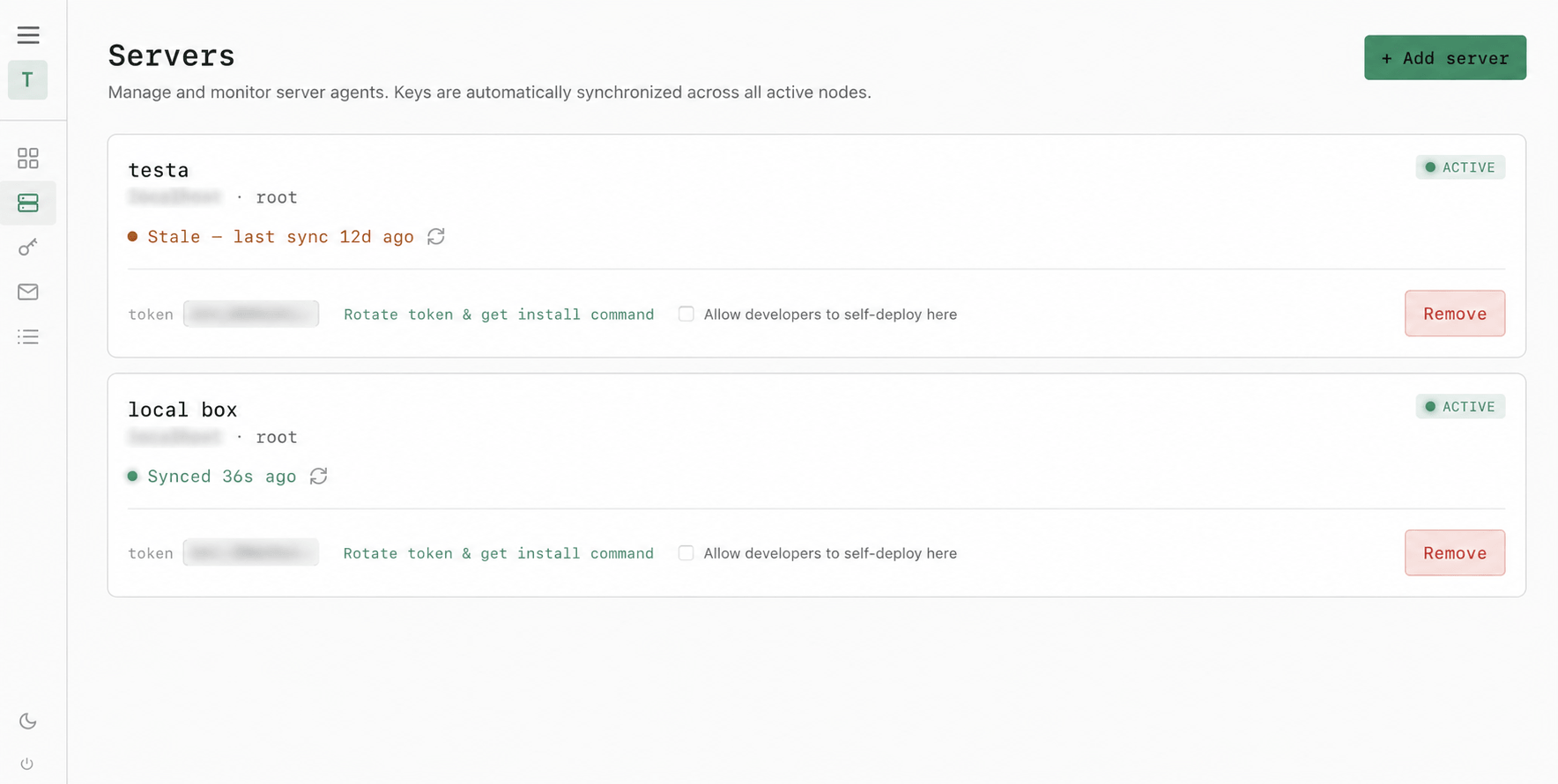
See which servers are active, when they last synced, and whether developers can self-deploy keys. Token rotation and removal stay close at hand for admins.
SSH access should not require manual intervention every time someone joins, rotates a key, or leaves. SyncSSH is built to be simple, predictable, and safe to run.
Target servers continue to accept standard SSH connections. A lightweight shell worker polls the control plane via cron. There are no persistent background processes to crash, no inbound ports to open, and no TLS termination on the target host.
The worker only manages the keys inside the
# === SYNCSSH BEGIN/END ===
block in authorized_keys.
Manual keys outside this block are never touched. If the control plane is unreachable, existing access remains fully intact.
Key changes, server activity, sync pulls, invites, and membership changes are recorded with an actor, target, timestamp, and event name. Owners and admins can filter the log by action or actor.
{
  "action": "publickey.deleted",
  "actor_kind": "user",
  "actor_username": "admin",
  "target_type": "PublicKey",
  "target_id": 42
}
SyncSSH uses a pull-based architecture. Target hosts run a shell worker via cron that pulls the authorized keys manifest over HTTPS and atomically updates the managed block. No inbound network access is required.
Add or revoke public keys, assign them to all or selected servers, manage members, and review the audit log.
The shell worker runs via cron, downloads the manifest, applies jitter, and atomically updates authorized_keys.
Control Plane. Django + React control plane. Manages organizations, members, public keys, server records, and audit history.
Shell Worker. A lightweight shell script triggered via cron. Fetches the target manifest, validates the payload, and atomically updates the authorized keys file.
Token Security. Target host bearer tokens are strictly hashed with SHA-256 at rest. If the control plane database is compromised, raw server-access tokens cannot be recovered.
Simple, transparent pricing
The full hosted product is open to everyone today. We are working with early users to refine SyncSSH before deciding what longer-term plans should look like.
There is no credit card field and no automatic conversion to a paid plan. If pricing or limits are introduced later, we will communicate them clearly before they apply.
Beta access lets you use the product without a purchase decision while your feedback helps shape the roadmap and future plans.
Public beta
Everything currently available in the hosted product is included during the beta.
The public beta is free. We have not announced a long-term pricing model, so we will not make a promise today that has not been designed or tested.
SyncSSH only writes inside its dedicated block in authorized_keys; manual keys outside that block are left alone.
You retain full control over your machines. SyncSSH manages a dedicated block in authorized_keys; valid keys outside that block remain untouched if you remove SyncSSH.
You get full access to the product today in exchange for your feedback. While in beta, minor updates or feature adjustments may happen as we refine the platform based on real-world team usage.
We believe in being transparent about what SyncSSH is—and what it isn't. Here is the current operational scope:
SyncSSH is pull-based. Revocations and additions take effect on the next cron run (typically every 60 seconds). It does not support instant push-based revocation out of the box.
SyncSSH does not act as an SSH Certificate Authority (CA) and does not proxy SSH traffic. It simply automates the management of standard public keys.
The shell worker requires a Unix-like environment with standard tools (bash, curl, cron, and standard POSIX utilities).
The worker manages a single block within a given user's authorized_keys file. It does not manage system-wide SSH configurations or multiple user accounts simultaneously.
The docker-compose quickstart runs the control plane locally. For production environments, we recommend running the control plane behind a secure reverse proxy with a dedicated database.
SECRET_KEY — the system refuses to boot without one when DEBUG=False.
APP_BASE_URL matched with your public HTTPS domain host for valid target installations.
Full deploy guide: Deployment Documentation — env-var reference, tunneling, reverse-proxy config, and troubleshooting.
Licensed under AGPL-3.0. You can run it, modify it, and use it commercially.